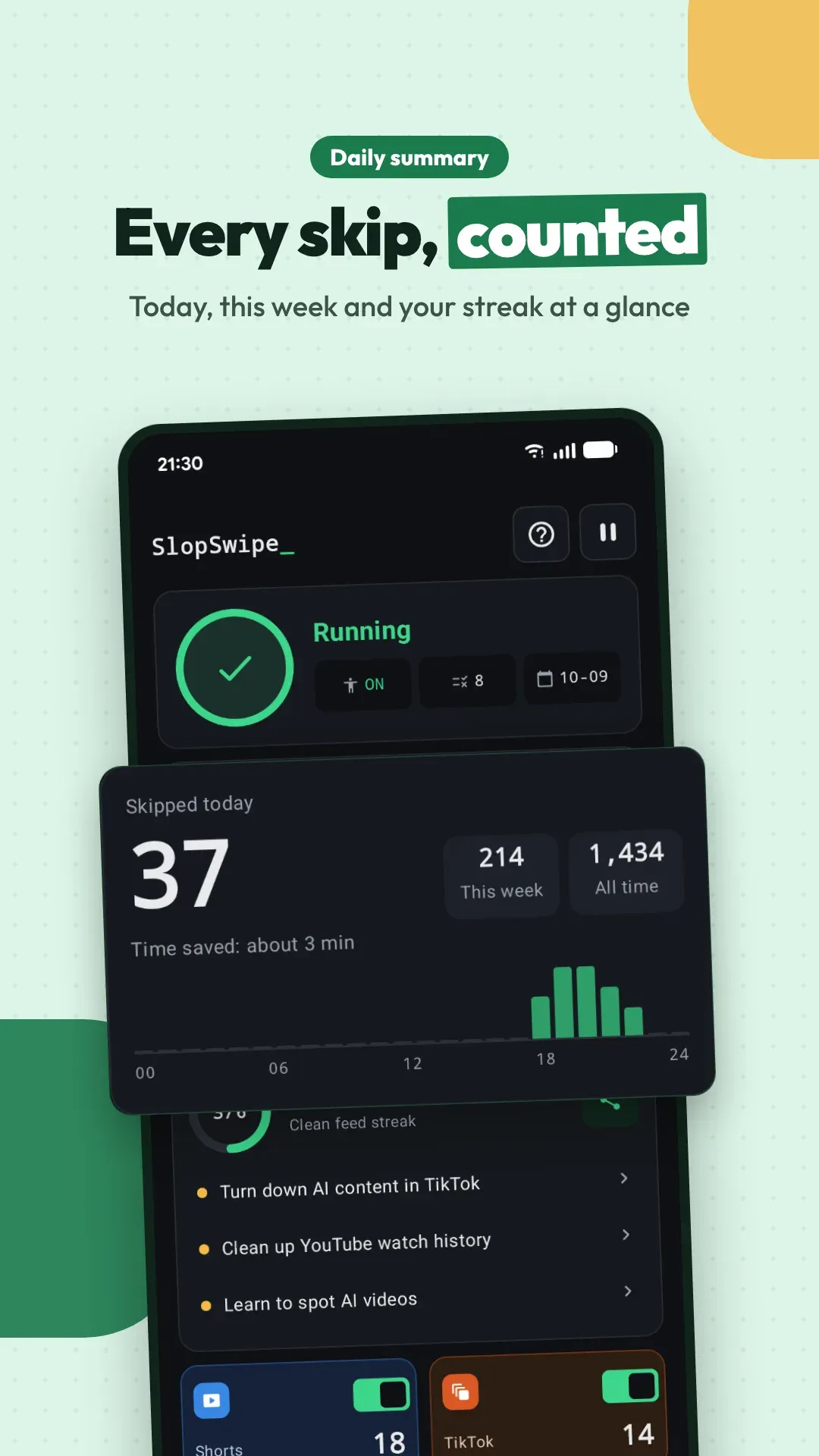
It is the only way an Android app can read what is on screen and swipe for you. SlopSwipe reads only the titles, account names and labels in Shorts, TikTok and Reels, decides on your phone, and swipes up when one of your rules matches. It is not an assistive tool for disabilities, and nothing from your screen is uploaded.
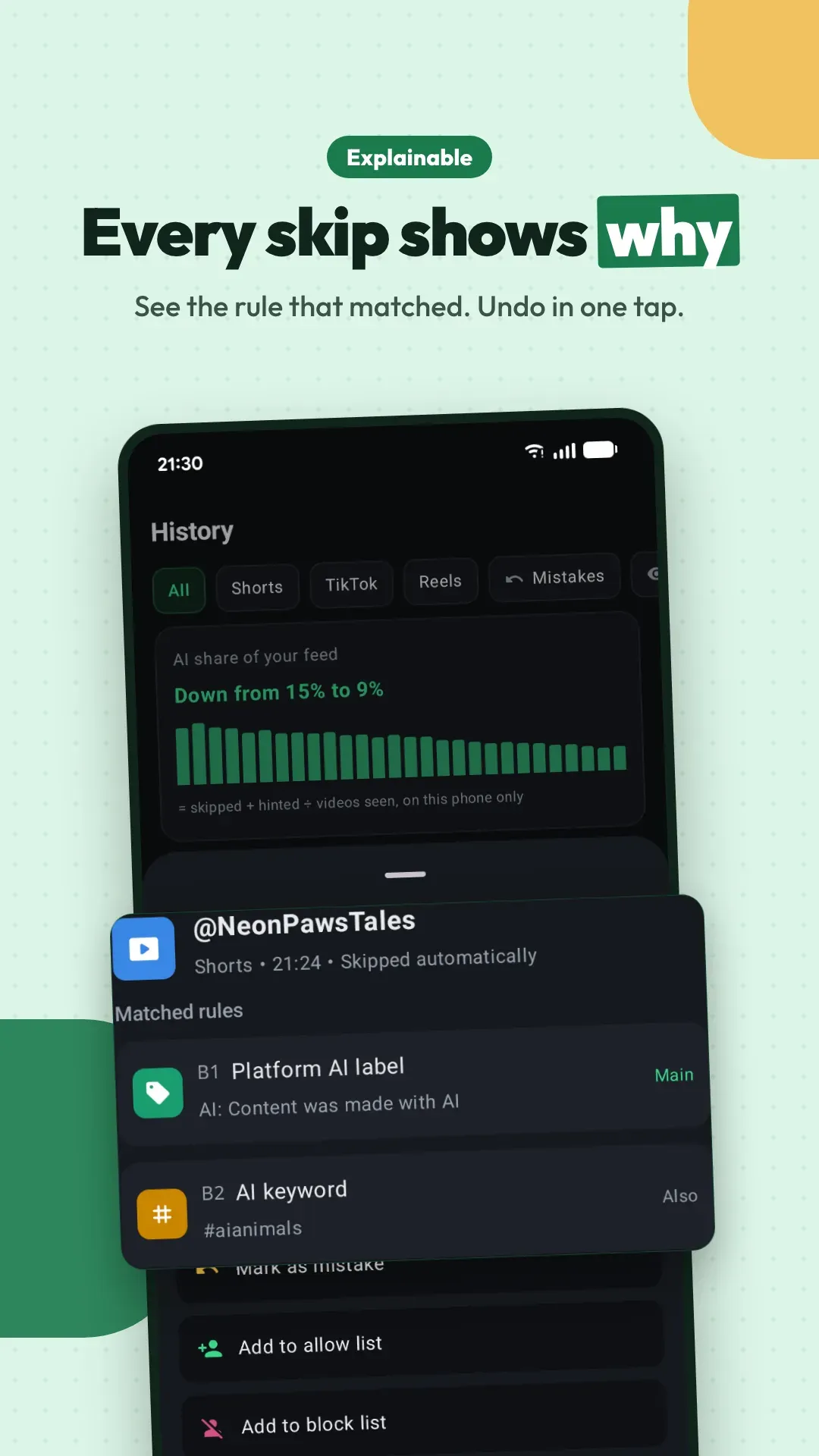
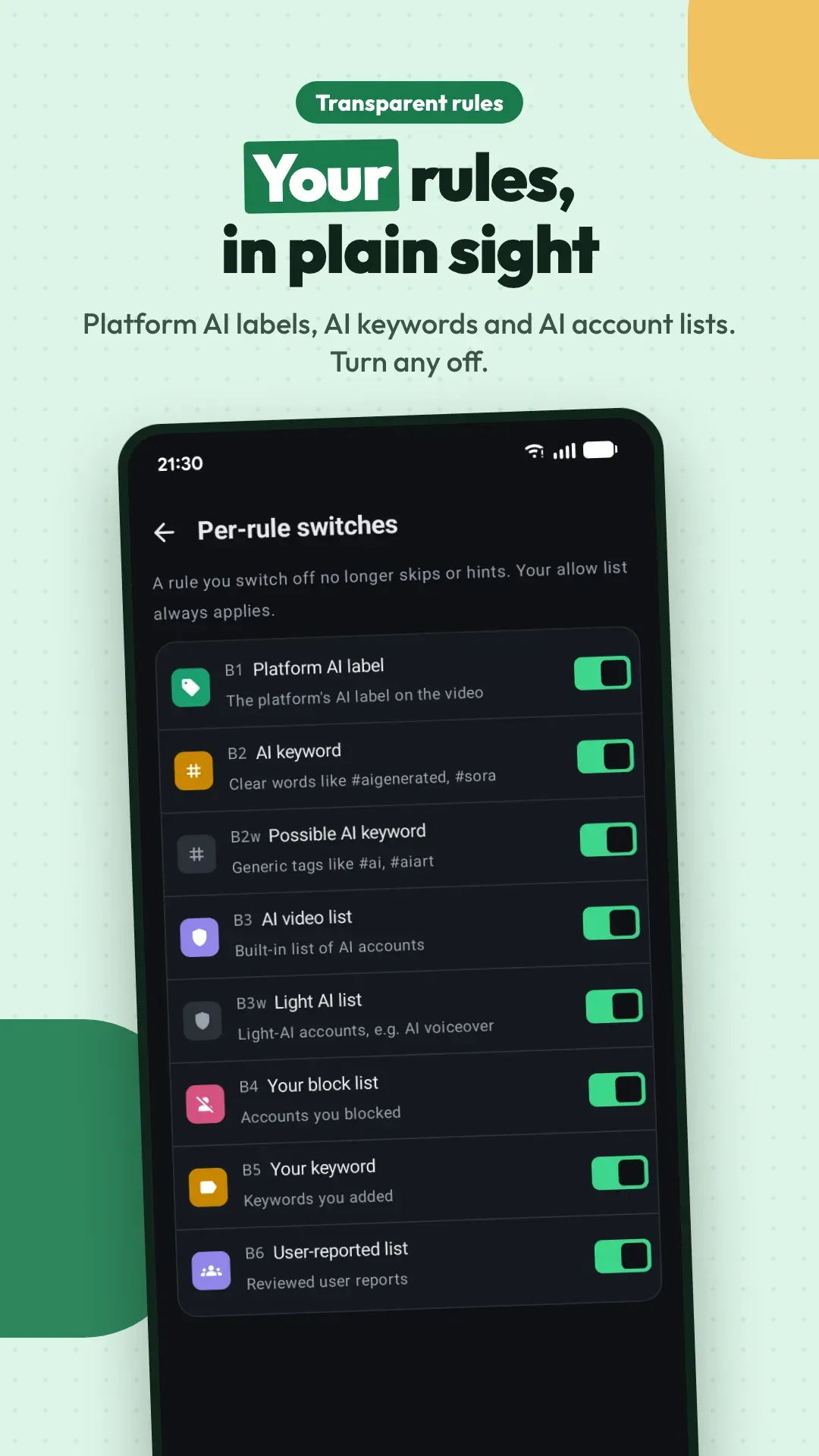
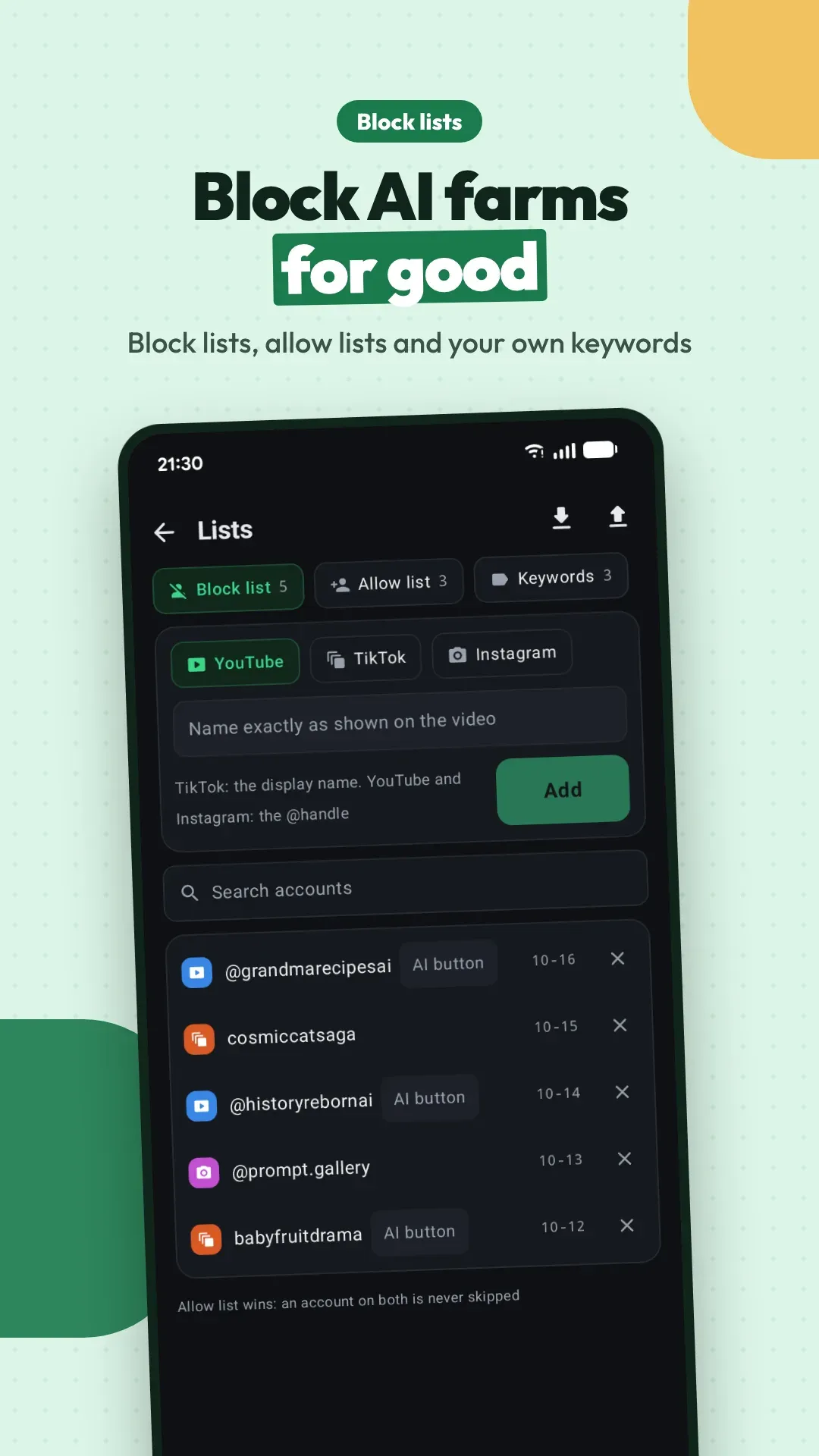
With fixed rules, not an AI model: the platform's own AI label, clear AI keywords in the title or hashtags, your block list, your keywords, and the user-reported list. Every skip shows the main rule, and History lists all the rules that matched. Any rule can be turned off under Settings → Rules → Per-rule switches.
Swipe back to it; a video you go back to is not judged again. Later, open History, tap the entry and choose Mark as mistake or Add to allow list. Accounts on the allow list are never skipped. For an Undo button after every skip, turn on Settings → Hints and button → Show Undo after a skip.
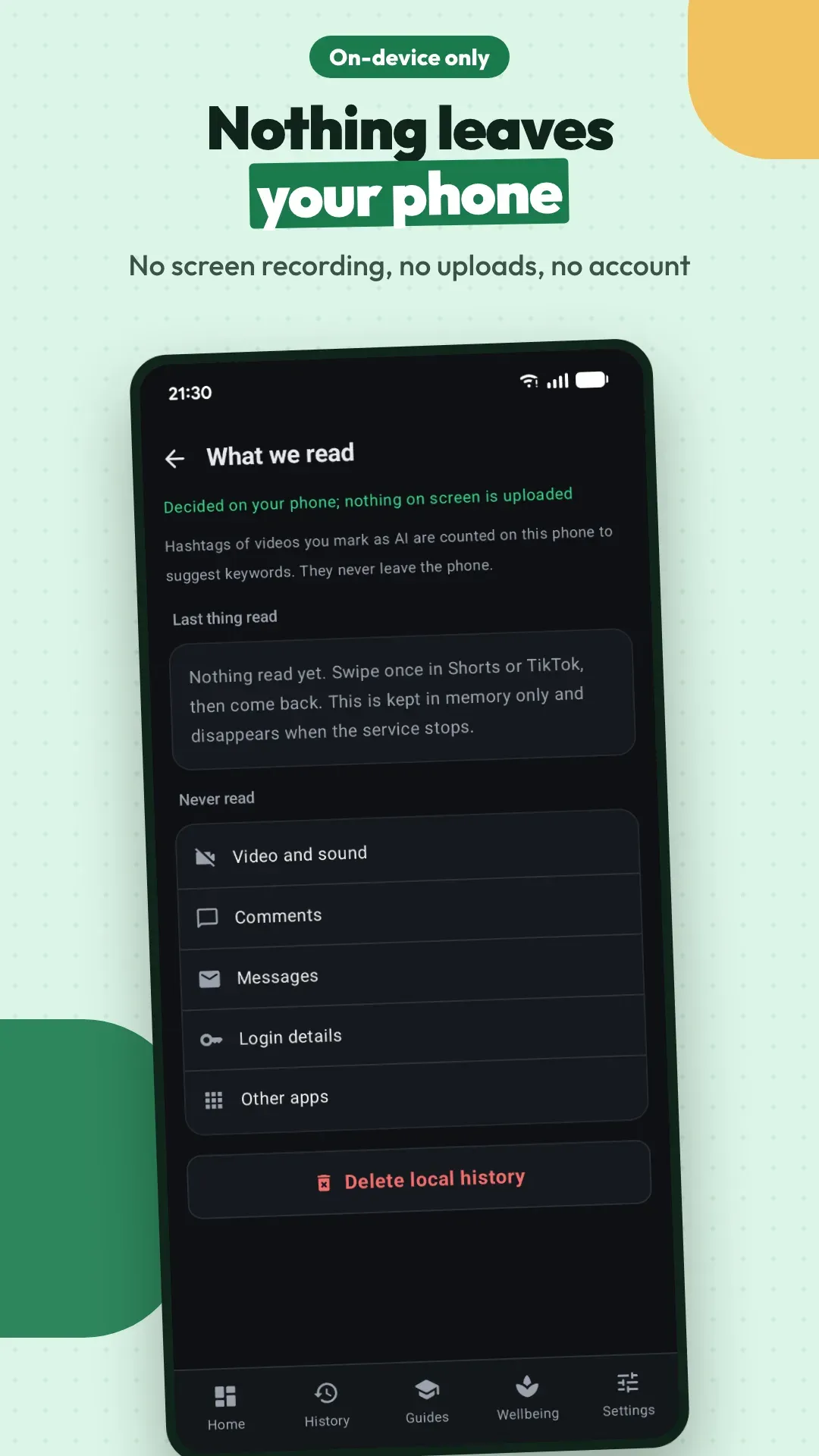
Check in this order: Home shows Running; the platform is on under Settings → Where it works; you are in the Shorts player, the TikTok For You feed or the Reels tab, not the home page, search, Following or a live stream; and the video actually matches a rule, as most videos are not AI. What we read shows exactly what was last read.
Only on-screen text inside the three apps: the title, account name, hashtags, labels and whether the page is an ad. Every decision is made on your phone. There is no screen recording, no screenshots, nothing from your screen is uploaded, and no account is needed. What we read shows the last thing that was read.
SlopSwipe acts only in the Reels tab at the bottom of Instagram, not in Reels opened from Search. Also check that Instagram Reels is on under Settings → Where it works: it is on for new installs, but if you installed an earlier version it may still be off. Ads and labels on Reels are verified in English first; when SlopSwipe cannot tell whether a Reel is an ad, it leaves it alone.