WhenDo videos
Short videos showing WhenDo on a real phone: building a task with AI, triggers, When and If, starting a task without opening the app, and the most common problems.

Say what you want and WhenDo builds it. A 17-second look at the AI builder.
Watch on YouTubeFeatures →
When, If, And then: a complete task in three lines.
Watch on YouTubeFeatures →
Wi-Fi, headphones, time, location, notifications: a quick look at what can trigger a task.
Watch on YouTubeFeatures →
Type what you want in plain words, let WhenDo build the triggers, conditions and actions, then review each step before turning it on.
Watch on YouTubeFeatures →FAQ →
Open Templates, pick a preset, fill in the one or two details it asks for, and it is on.
Watch on YouTubeFeatures →FAQ →
Building a task by hand: When is the trigger, If is the condition, And then is the action.
Watch on YouTubeFeatures →FAQ →
A tour of the triggers: time, apps, Wi-Fi and Bluetooth, notifications, sensors, physical keys and more.
Watch on YouTubeFeatures →FAQ →
Start a task from a floating button, a volume key or a fingerprint gesture.
Watch on YouTubeFeatures →FAQ →
Scheduling a task by time of day, on a repeat, or on calendar events.
Watch on YouTubeFeatures →FAQ →
A tour of the actions: system settings, apps, media, HTTP requests, clipboard, notifications and Shizuku controls.
Watch on YouTubeFeatures →FAQ →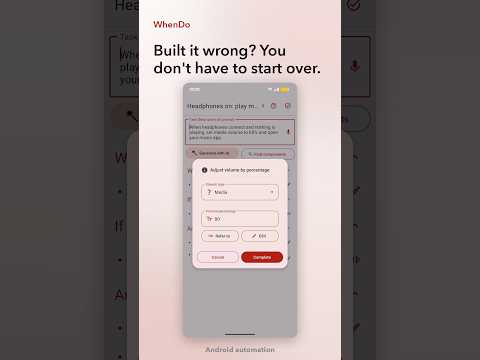
Open an existing task, change a trigger or an action, and keep the rest.
Watch on YouTubeFeatures →FAQ →
Turning on the Accessibility service and the other permissions a task needs, step by step.
Watch on YouTubeFeatures →FAQ →
What Shizuku adds on top of the normal mode, when you need it, and how to turn it on.
Watch on YouTubeFeatures →FAQ →
The difference between a task that waits in the background and one you run by hand.
Watch on YouTubeFeatures →FAQ →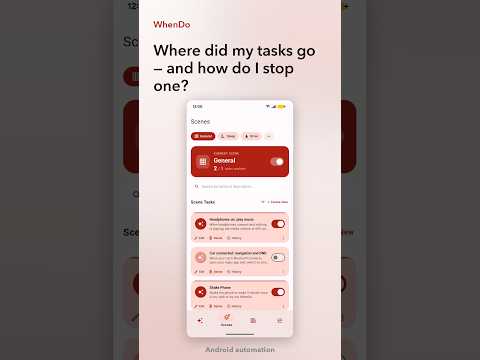
Finding your tasks in the Scenes tab and switching off one task, or a whole scene.
Watch on YouTubeFeatures →FAQ →
What to do when the generated task is off: rephrase, edit the steps, or start from a preset.
Watch on YouTubeFeatures →FAQ →